
Plan & Prioritize Your Repairs

Stop guessing. Use objective data to identify, prioritize, and execute road repairs. vialytics turns your maintenance backlog into a streamlined workflow.
 
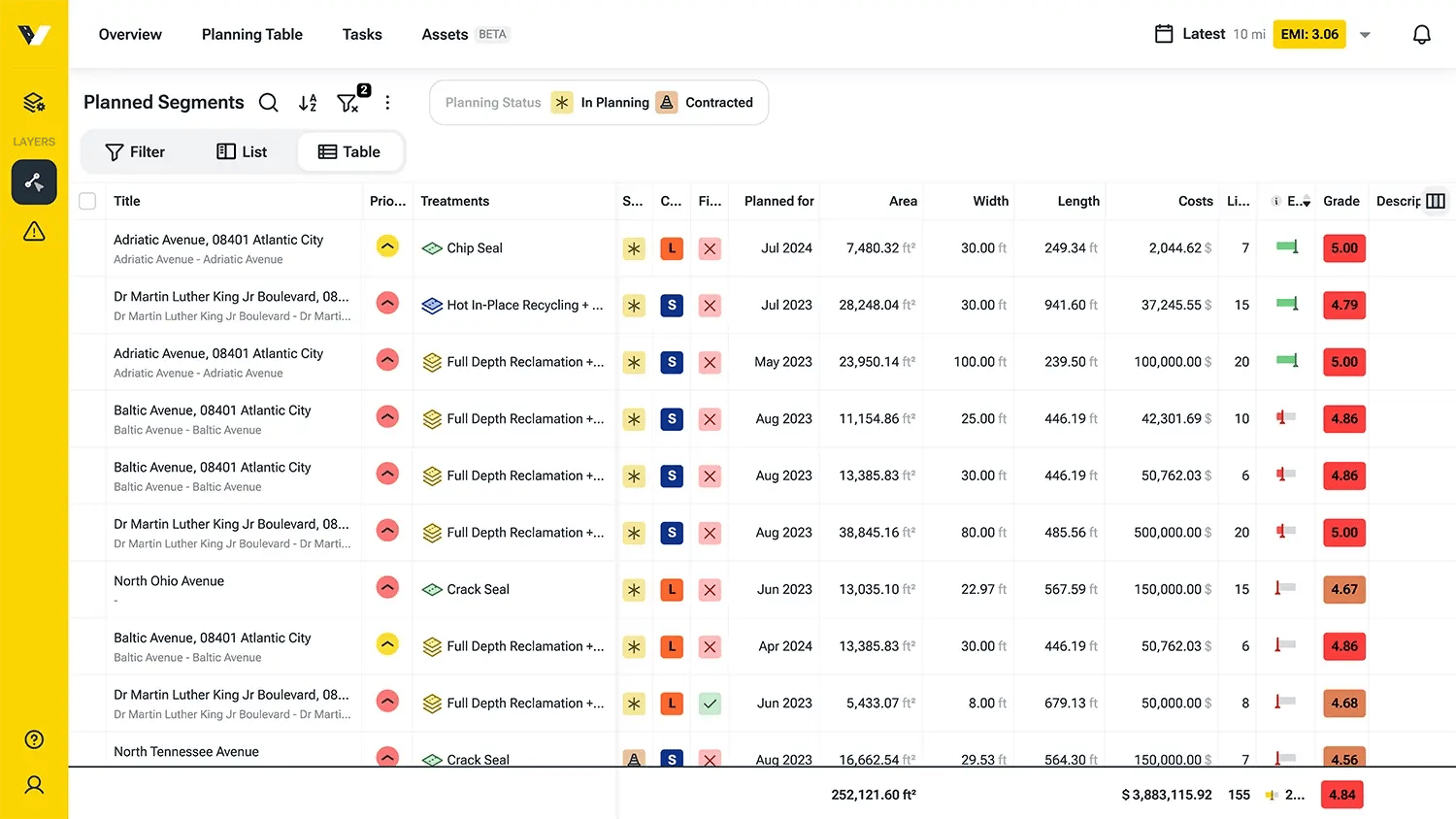
The vialytics Web System displaying the 'Planned Segments' table, showing road repair priorities, maintenance treatments, and budget estimates to help municipalities plan and prioritize infrastructure projects.

Customize your game plan

Stretch your budget further:

Adjust treatments on the fly and get instant cost transparency.

Automatically verify budget coverage so you can stop the guesswork and start fixing more roads.
Master your budget planning

Unified control

Get every image and data point for your road projects in one centralized platform.

Precision forecasting

Integrated cost data takes the guesswork out of your annual budget calculations.

Stakeholder buy-in

A data-driven overview supports your case when presenting to decision-makers.

Build a Complete Repair Plan in Just 3 Steps

1. Define your projects

Start planning the moment your first road assessment is complete. Create segments with names, dimensions, and condition scores instantly, then use smart filters to sort by severity or damage type.

This allows you to move high-priority sections directly from your overview into an active, actionable plan.

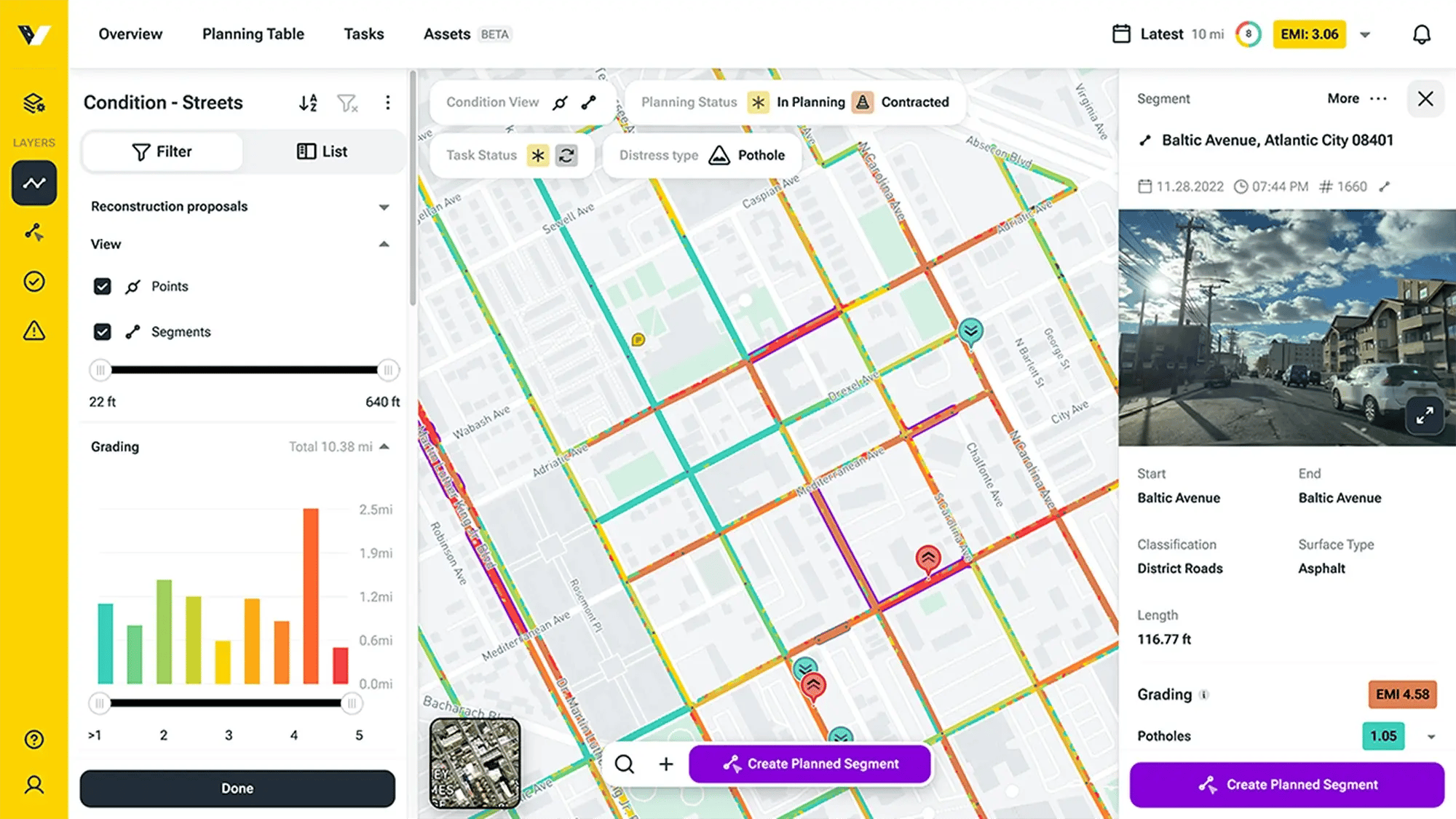
The vialytics Web System interface showing a color-coded road assessment map and a condition score distribution chart to help define and prioritize infrastructure repair projects.
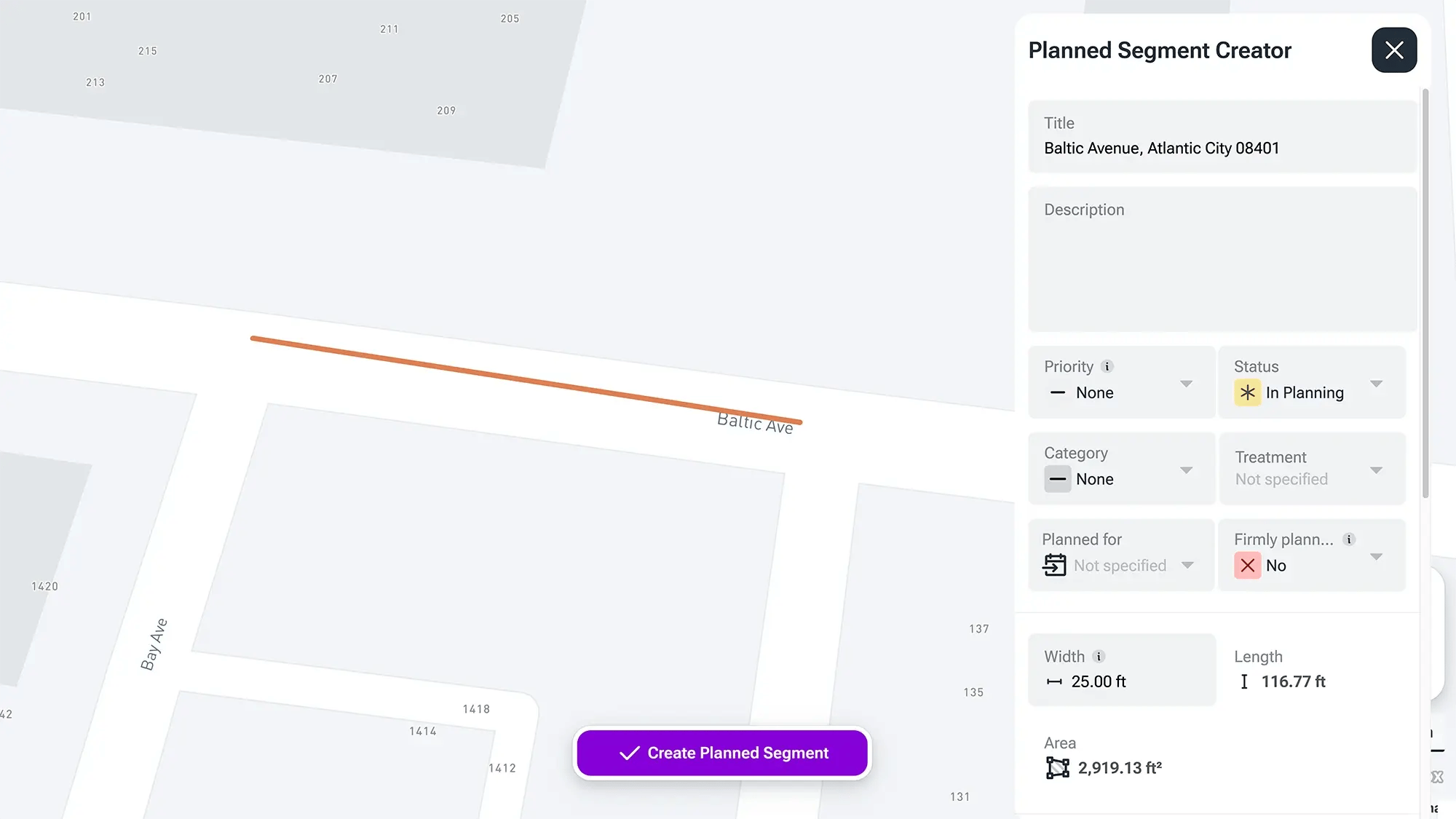
The vialytics Web System interface displaying the 'Planned Segment Creator' modal, allowing municipalities to add specific project details like priority, maintenance treatment, and area dimensions for professional infrastructure planning.

2. Drill down into the details

Add the specifics that turn a simple list into a professional strategy::

Categorize projects by maintenance vs. capital investment and set priority status in seconds.

Take full control by customizing service life, projected costs, and area dimensions at any time.

3. Create plans for individual fiscal years

Once all measures are logged, you receive a comprehensive map view:

✔ Use cost entries to power both strategic annual planning and operative maintenance management.

✔ Simplify coordination and ensure an objective internal decision process through plan visualization.

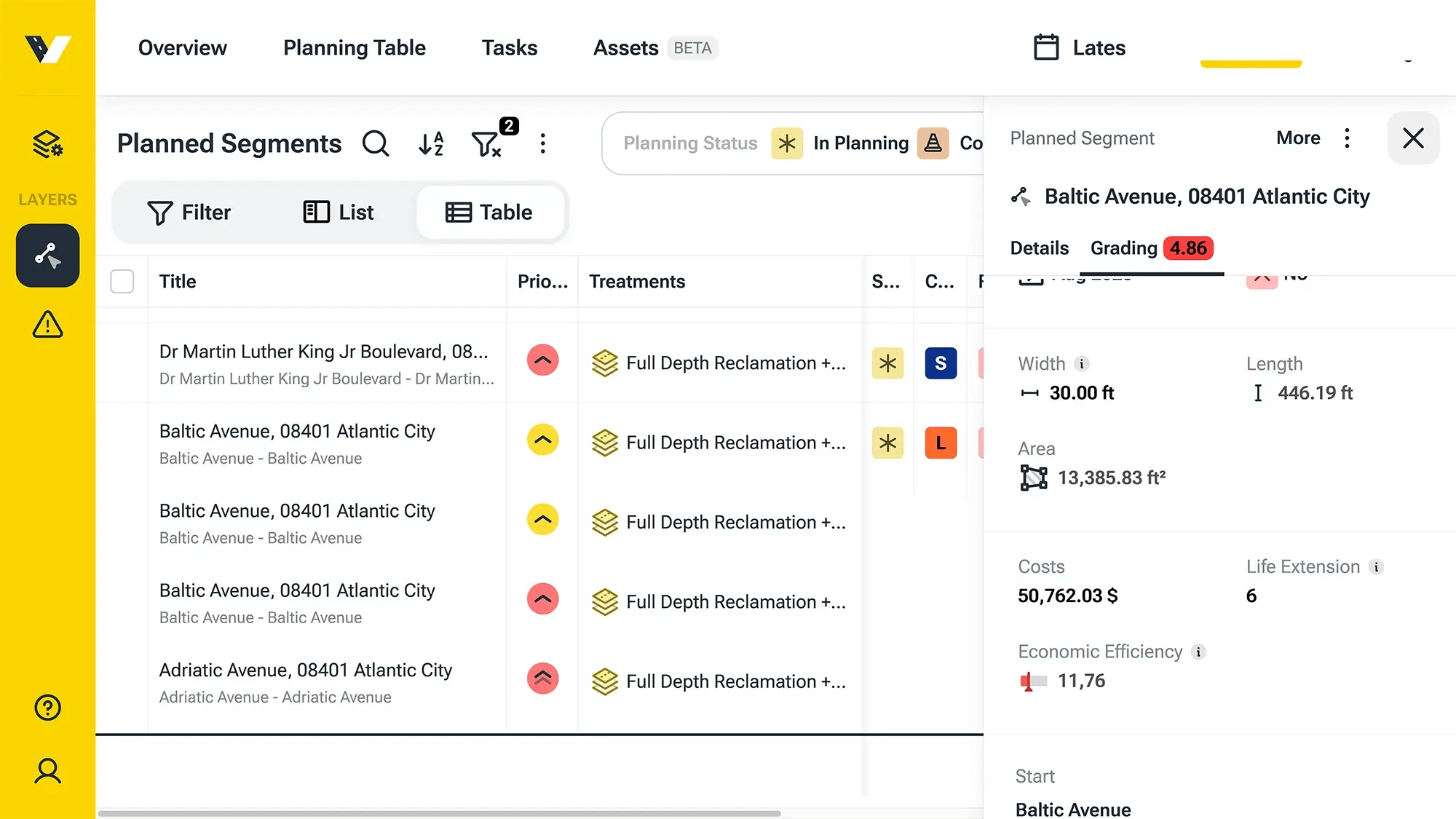
The vialytics Web System interface showing the 'Planned Segments' dashboard with a detailed side panel for a specific road project, displaying cost entries, economic efficiency, and life extension metrics to support strategic fiscal year planning.

Explore Our System

Optimize your fiscal year

Stretch your current budget further with smarter, data-backed planning. Let’s talk about your roadmap.